


PlantNet Plant Identification
4.59.64K Reviews
App Specs
- Version
- 3.26.10
- Updated On
- License
- Free
- Downloads
- 10,000,000+
- Developer
- PlantNet
- Categories
- Education
- Platform
- Android, iOS
Screenshots
 Analysis by AppCompare
I tend to reach for a plant identifier when a question comes up during an ordinary walk, not when I’m prepared for a botany lesson. A leaf beside the pavement, a flower in a neighbour’s garden, or an unfamiliar shrub on a trail can all prompt the same thought: what am I looking at? PlantNet Plant Identification is built around that moment, helping turn a quick observation into a chance to learn. I find it most rewarding when I treat its suggestions as a starting point for looking more closely, rather than as an unquestionable verdict.
Choose it for curiosity, not certainty
PlantNet is an education app from PlantNet, and its central idea is refreshingly focused: make an observation, photograph a plant, and use the result to guide identification. It suits people who want to explore wild plants as they encounter them, whether they are walking a familiar route or visiting somewhere new. The app is free, and its 4.5 average from around 261,000 ratings suggests that many people find this simple kind of discovery worthwhile.
The important decision is whether you want a quick answer or a tool that encourages a closer look. A photo-based suggestion can narrow down possibilities, but the quality of the photo and the part of the plant you capture matter. I get more value when I pause to notice details and compare suggestions with what is actually in front of me. For someone who expects a single tap to settle every identification, the experience can feel less decisive.
Its scale is part of the appeal: PlantNet has been installed over 10 million times, so it is not an obscure experiment for a tiny group of specialists. Still, popularity should not be confused with certainty for every image. I would use it to learn and explore, not to make a consequential decision about whether an unknown plant is safe to eat, touch, or use. When the stakes involve health, a phone-based identification is not enough.
Getting Started with PlantNet
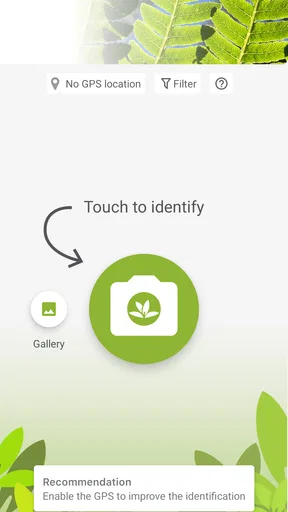
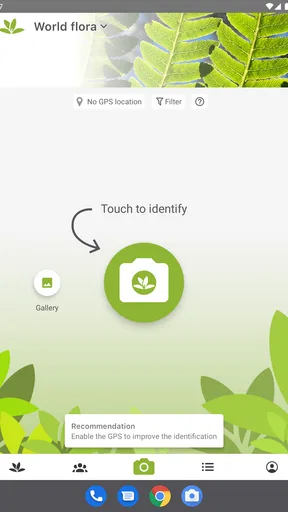
The first thing you’ll notice about PlantNet Plant Identification is its simple and straightforward interface. No bells and whistles—just pure functionality, which I truly appreciate. Once you’ve downloaded it, you’re greeted by a user-friendly home screen that’s all about getting you into the action quickly.
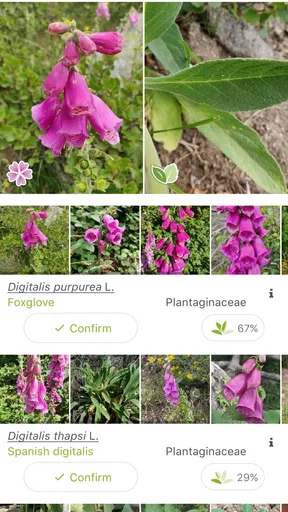
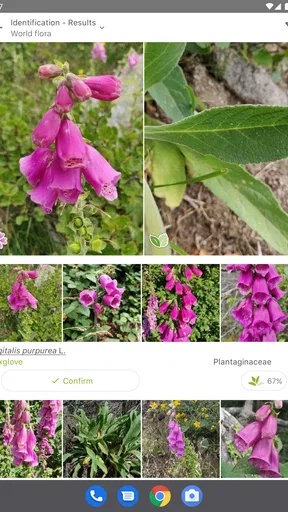
The app mainly functions through your smartphone's camera. You snap a picture of the plant in question, and voila! The app does its magic. It’s designed to recognize a wide variety of plants, from the most common to the more exotic ones. And let me tell you, it gets it right most of the time.
How It Works
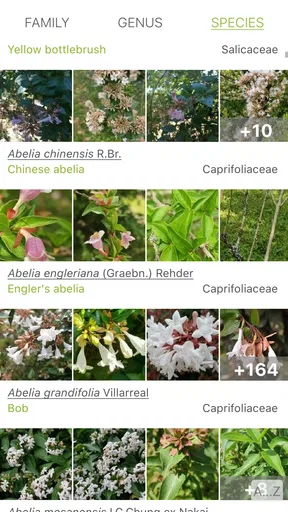
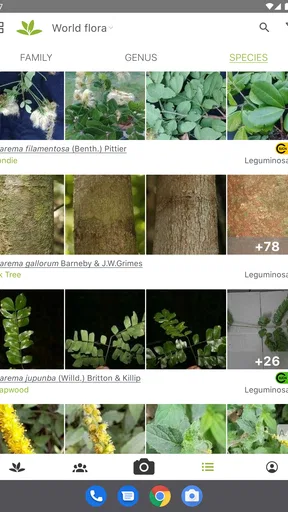
PlantNet uses a vast database and powerful algorithms to compare your photo with thousands of images in its collection. It’s like playing matchmaker, but for plants. The magic happens when you get a direct match, and the app provides you with detailed information about the plant species. It even gives you some fun facts!
Worth Reading Before You Choose

Flipboard Shows What News Apps Must Do Beyond the Feed

Switching to Android Auto Means Rethinking Your Driving Routine

Google Calendar Makes a Crowded Week Easier to Manage

Ludo King Makes the Most of the Minutes Between Plans

Baby Panda World Brings Quick Play to Modern Phones, but Its Game Library Feels Busy

ESPN’s Live Game View Makes Following Close Games Easier
Here’s the kicker: it’s not just about the leaves. You can also identify plants by their flowers, fruits, and bark. I found this particularly useful when dealing with flowering plants, as the blooms are often the most distinctive feature.
Make the photograph do more work
A useful habit is to frame the part that carries the clearest clues instead of taking a hurried picture of the whole plant from several metres away. If there are flowers, a close view of a bloom can be more informative than a distant shot of the surrounding bed; if there are no flowers, a clear leaf or fruit may give the comparison a better chance. I also try to keep the subject visually distinct from nearby plants, since a busy frame can make it harder to tell which specimen I meant to record.
When a result feels doubtful, I take another image from a different angle or focus on another visible part, then compare whether the suggestions point in the same direction. That small second pass is more useful than repeatedly photographing the same view. It also helps me notice whether I am looking at one plant or a cluster of similar-looking growth. I would not treat a confident-looking name as proof: resemblance is a clue, and the surrounding context still matters.
Community and Collaboration
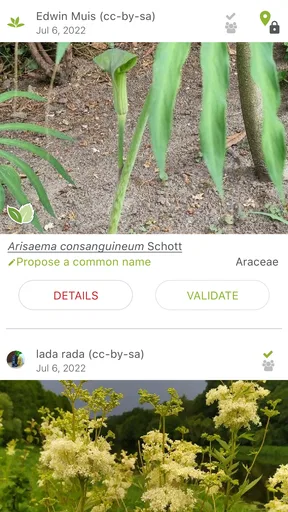
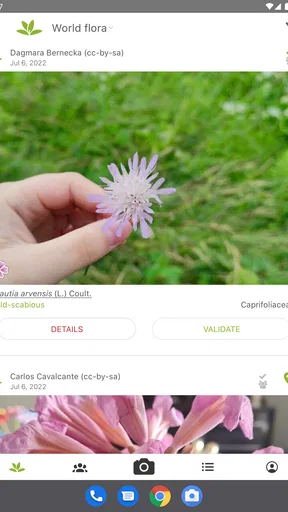
One of the standout features is the community aspect. Users can contribute by submitting photos and verifying identifications. It’s like being part of a plant detective club. This collaborative effort not only enriches the database but also brings in a sense of communal learning.
The app also encourages users to explore biodiversity, which is a fantastic way to engage people with the environment. Whether you're a seasoned botanist or just a curious soul, there’s something for everyone.
A small field notebook, not just a lookup tool
The community element changes how I think about a walk with the app. Instead of collecting names as trophies, I can pay attention to what is growing in a particular place and contribute observations that may be useful to other people. That makes it a better fit for patient learners than for someone who only wants a label and intends to close the app immediately.
There is also a practical trade-off: contributing an observation asks you to be thoughtful about the image and the proposed identification. I would rather submit a clear, well-framed record than several weak guesses. If you are exploring with children or a class, that can become a useful exercise: ask everyone what visual clue they noticed before looking at the suggested match. It keeps the activity about observation as well as naming.
Performance and Usability
In terms of performance, the app runs smoothly. I didn’t experience any lag or crashes, which is always a plus. The identification process is quick, taking just a few seconds to analyze and return results. The layout is intuitive, with clear icons and navigation. I appreciate how it doesn’t overwhelm you with unnecessary features—it sticks to its core purpose.
Another neat feature is the offline mode. While it’s not as comprehensive as when you’re connected, it’s handy for those times when you’re out in the wilderness without a signal. It allows you to save images and identify them later when you have internet access.
Plan for the walk you actually take
For an ordinary outing, I would think of the offline option as a way to preserve a question, not as a promise that every identification will happen immediately in a remote spot. If I expect patchy reception, I can take a careful photograph and return to it when I am connected. That is a sensible workflow for a hike or a garden visit where stopping to troubleshoot a connection would spoil the moment.
It also helps to separate the field task from the later learning task. Outdoors, I want to capture the plant without damaging it or disturbing its surroundings. Later, I can revisit the image and consider whether the match makes sense. This approach is especially useful when a plant is growing on private property, in a protected area, or somewhere awkward to approach: the app is no reason to pick, move, or break anything for a better view.
Where another kind of tool may suit you better
PlantNet is strongest when the goal is to explore wild plants through photographs and shared observations. A general web search may be more suitable when you already know a likely name and want to read broad background information, while a field guide can be preferable for someone who wants to browse illustrations and learn identification features without taking a picture. Those approaches ask for more effort, but they can also make the reasoning behind a name easier to follow.
For a gardener trying to diagnose a sick houseplant, a plant-care app or a specialist gardening resource may be a better first stop. Identifying a species is not the same as explaining why its leaves are turning yellow or what conditions it needs. Likewise, if you need a dependable answer for a safety-sensitive question, ask a qualified person rather than relying on a visual match. I see PlantNet as a companion to attention and reference material, not a replacement for either.
The age guidance is Everyone 10+, which makes it a reasonable option for older children to explore with an adult, especially on nature walks. I would still set a clear rule: never taste an unknown plant because an app suggested a name. The same caution applies to pets and to handling unfamiliar species. Curiosity is the point; testing an identification by touching or eating a plant is not.
Cost, version, and the changeover
Because the app is free, there is little financial risk in trying it alongside whatever method you already use. The more meaningful cost is attention: you need to take a useful picture, judge whether a suggestion fits, and sometimes postpone the answer until you have a connection. If you already keep a paper field guide, you do not need to abandon it. I would use the two together, letting the app suggest a direction and the guide help me examine distinguishing features.
PlantNet’s current version is 3.25.3, and it requires Android 7.0 or later. Those details are worth checking against your device before building a routine around it. For someone switching from casual web searches, the adjustment is mainly learning to capture a purposeful image rather than typing a vague description. For a regular field-guide user, the larger change is trusting a photo-based shortlist while still doing the final thinking yourself.
Why You Should Try It
If you're a nature enthusiast or someone who just loves to learn new things, this app is a must-try. It’s educational, fun, and incredibly useful. Plus, it’s a great conversation starter when you’re out with friends. "Oh, did you know that's a Ficus Benjamina?" Talk about impressing your pals!
Moreover, the app is updated regularly, ensuring that you get the latest in plant identification technology. It’s like having a constantly evolving plant encyclopedia in your pocket.
Who will get the most from it
I would recommend it to curious walkers, beginning naturalists, families who want an easy prompt for outdoor conversations, and anyone who enjoys learning names by looking closely. A realistic use is a neighbourhood walk after rain: you notice a small flowering plant beside a path, take a clear picture of its bloom, and later check whether the suggested identification fits the leaves and growth around it. The result can turn a passing glance into a small lesson without requiring a planned nature trip.
It is less compelling for someone who rarely encounters unfamiliar plants, wants advice about keeping a particular indoor plant healthy, or expects every photograph to produce a final answer. The app’s educational value comes from engaging with observations, not merely collecting labels. If you would rather consult a book at your own pace or search by written symptoms, a different resource may match your habits better.
Final Thoughts
In a world where technology often distances us from nature, PlantNet Plant Identification bridges that gap beautifully. It’s a tool that promotes exploration and understanding of the natural world. Whether you’re using it for educational purposes or just out of curiosity, it’s an app that delivers on its promises.
So, next time you find yourself puzzled by a plant, give PlantNet a try. You might just discover a newfound appreciation for the flora around you. Download it, and let the adventure begin!
My recommendation
My recommendation is to try it if you want a free, approachable way to investigate wild plants and are happy to treat identification as a process rather than a magic answer. Start with a clear image of the most distinctive feature, keep a second view in mind when the first result seems uncertain, and use the offline workflow as a way to save observations for later. Those habits make the experience more useful without asking you to become an expert first.
For me, its best role is a pocket companion that makes an ordinary walk more observant. If that sounds appealing, it is easy to see why PlantNet has attracted a broad audience. If your priority is plant care, guaranteed safety guidance, or an answer with no uncertainty, choose a more appropriate source for that job and keep this app for the moments when curiosity is enough.
Pros
- Accurate plant identification using photos.
- Extensive database of plant species.
- Community-driven content with expert reviews.
- User-friendly interface and easy navigation.
- Offline access for remote plant ID.
Cons
- Requires internet for full database access.
- Limited to plant identification only.
- Occasional misidentification in rare cases.
- Ads can be intrusive in free version.
- No option for direct plant care advice.
FAQs for PlantNet Plant Identification
What is PlantNet Plant Identification, and how does it work?
PlantNet Plant Identification is an app that helps users identify plants simply by taking a photo with their smartphone. It uses a vast database of images and relies on crowd-sourced contributions to improve its accuracy. The app analyzes the plant's characteristics and matches them with similar images to provide the most likely identification.
Is PlantNet Plant Identification free to use?
Yes, PlantNet is free to download and use. It offers a comprehensive range of features at no cost, making it accessible for both casual users and plant enthusiasts. While there may be optional in-app purchases or features, the core functionalities remain free, ensuring users can identify plants without financial commitment.
How accurate is PlantNet in identifying plants?
PlantNet is generally accurate, especially for common plants, thanks to its extensive database and continuous updates from user contributions. However, its accuracy can vary based on the quality of the photo and the plant's condition. For best results, it's recommended to take clear photos and provide multiple angles of the plant.
Can PlantNet identify all types of plants?
While PlantNet covers a wide range of plant species, it may not identify every single plant, especially rare or newly discovered species. The app's database is continually growing, and user contributions help expand its coverage. If a plant isn't identified, users can contribute their finding to enhance the app's database.
Does PlantNet require an internet connection to function?
Yes, PlantNet typically requires an internet connection to access its extensive database and provide accurate identifications. This allows the app to compare your photo with its online repository. However, some features may be available offline, but for full functionality, including real-time identification, an internet connection is necessary.


